Configuration files
Database passwords in web.config, appsettings.json or .env that were entered during a rollout and are still valid years later.
appsettings.json"Erp": "Server=sql01;Password=Summer2019!"
Code scanners check Git repositories, while most passwords in a company sit somewhere else entirely: in scripts, configuration files and Excel lists on the file servers. NoCredEx checks exactly these shares, finds passwords, API keys and connection strings and shows straight away which shares have excessive permissions.
More than 160 detection rules recognise passwords, connection strings, API keys, private keys, tokens and much more. You can add internal formats and naming conventions with your own rules.
On a file server, files, permissions and responsibilities look different from a repository, and a secret scanner for file servers has to take that into account.
| Git repository | File server | What NoCredEx does | |
|---|---|---|---|
| Where the files are | The files are in one repository with its history. | The files are spread over many shares on Windows servers, Samba and NAS, some of which nobody remembers. | Share Discovery finds the shares in your OUs and IP ranges, including DFS links. |
| File types | Mostly source code and configuration are checked. | Scripts, exports, Excel and Word files, ZIP archives and files without an extension come on top. | NoCredEx reads all of them and skips binary files. |
| Who can read | The members of the repository can read it. | Anyone with share and NTFS permissions can read, often “Everyone” or all domain users. | You see straight away which shares have excessive permissions and scan them first. |
| Who fixes it | The person who made the commit is responsible. | The department the share belongs to is responsible. | Each share can have a technical owner who takes care of its findings. |
| When it is checked | Checks usually run with every commit. | Files change at any time, without any commit. | NoCredEx checks on the schedule you choose and, with the delta scan, reads only changed files. |
NoCredEx runs on one Windows machine in your network and reads the shares over the network, with nothing installed on the file servers.
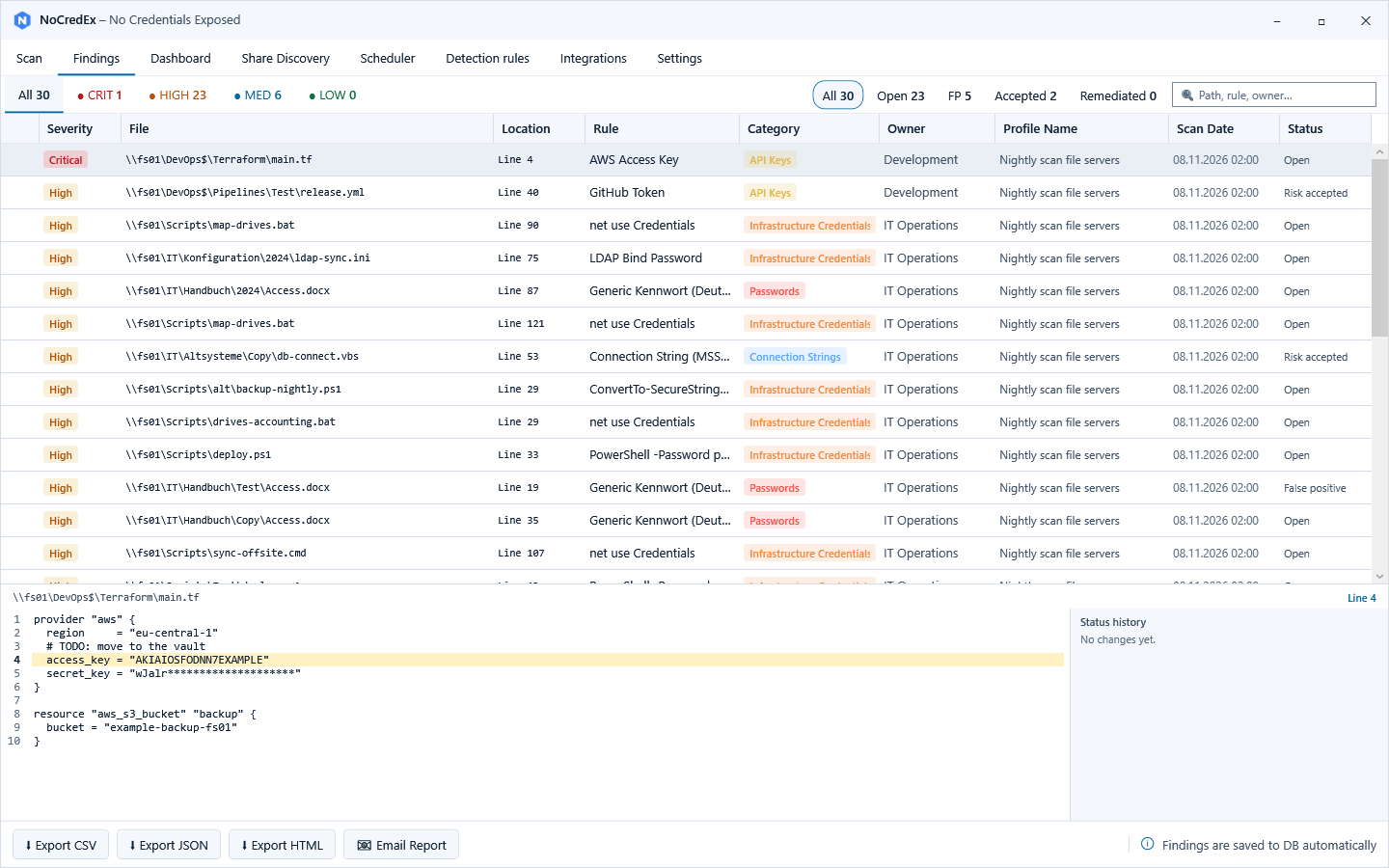
A list of findings only helps once someone takes care of it. NoCredEx makes sure the responsible person hears about it and checks itself whether a password is really gone.
The technical owner is notified only about findings on their own shares and handles them in the Owner Portal.
NoCredEx sets a finding to remediated only when a scan has read the file and the password is no longer in it.
The dashboard shows how the open findings develop, and the management report passes the figures on to the CISO or management as a PDF.
A secret scanner for Git checks repositories and commits. NoCredEx checks the shares on your file servers, reads Excel and Word files as well as ZIP archives, shows the permissions of every share and lets you define a technical owner for each share.
NoCredEx reads shares on Windows servers, Samba and NAS devices over SMB, including DFS links. Local folders and mapped network drives can be scanned as well.
No. NoCredEx runs on a machine with Windows 11 or Windows Server 2019 or later and only needs read permission on the shares, either as the signed-in user or through a dedicated scan account.
No. NoCredEx stores path, line, rule and a hash that lets it recognise the same finding in the next scan, but never the value found and never the line. The preview reads the original file only when you open a finding.
Yes, NoCredEx reads Excel and Word files including macros, also in the old Office formats, as well as ZIP files. PDF files and presentations are not read, but the file name rules check their names.
Want to look for yourself first? Our guide shows how to search for passwords manually.
You use NoCredEx free for three months with every feature and decide afterwards whether to buy it at special conditions.
All results stay on your own system.