Database passwords in config files
Entered once in web.config, appsettings.json or .env during a rollout and still valid years later.
appsettings.json"ConnectionStrings": { "Erp": "Server=sql01;Password=Summer2019!" }
NoCredEx finds passwords, API keys and connection strings sitting in plaintext on your file servers and shows every finding with file, line and severity, so you can fix it before an attacker reads it.
Every feature, no payment details, no automatic renewal.
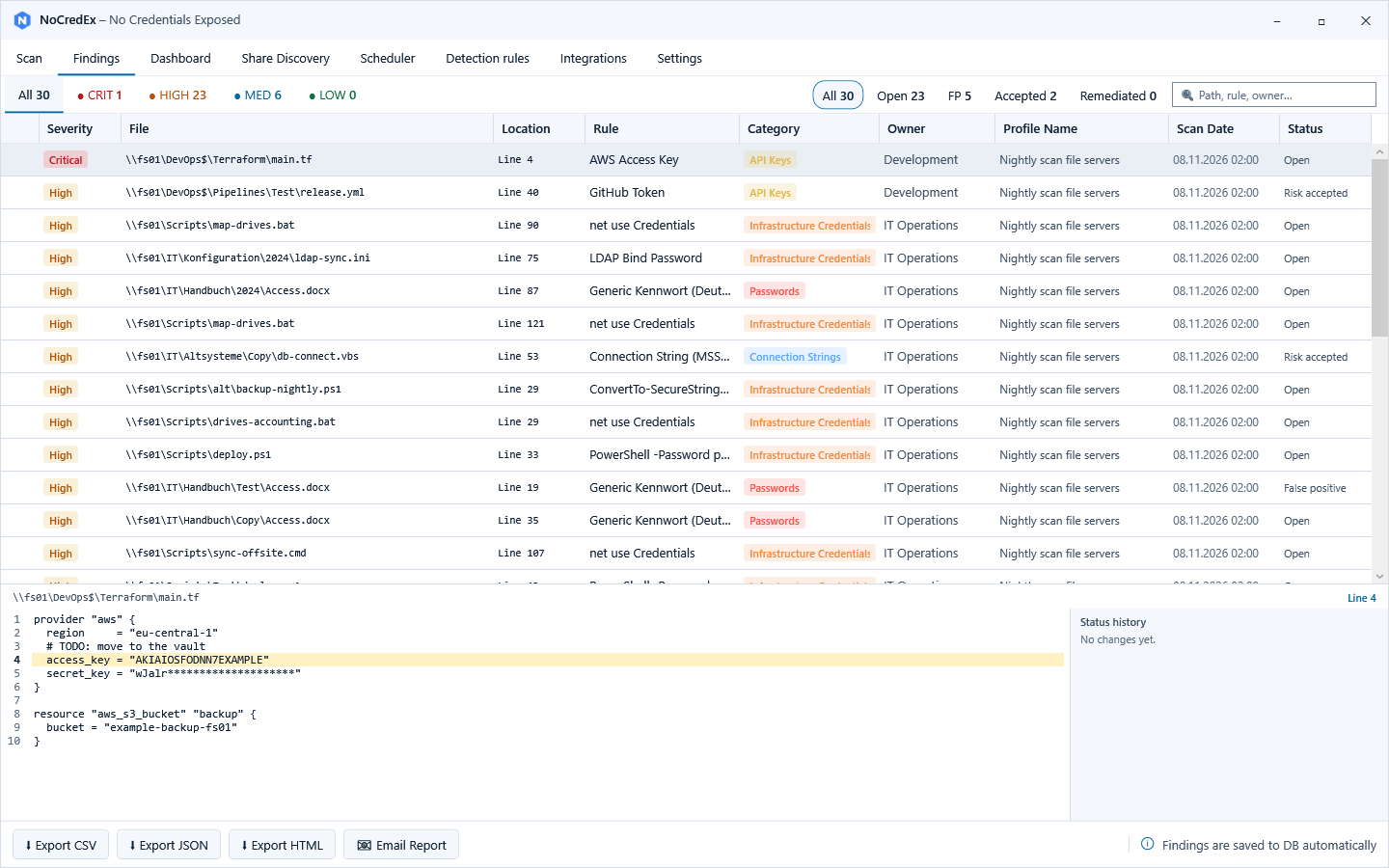
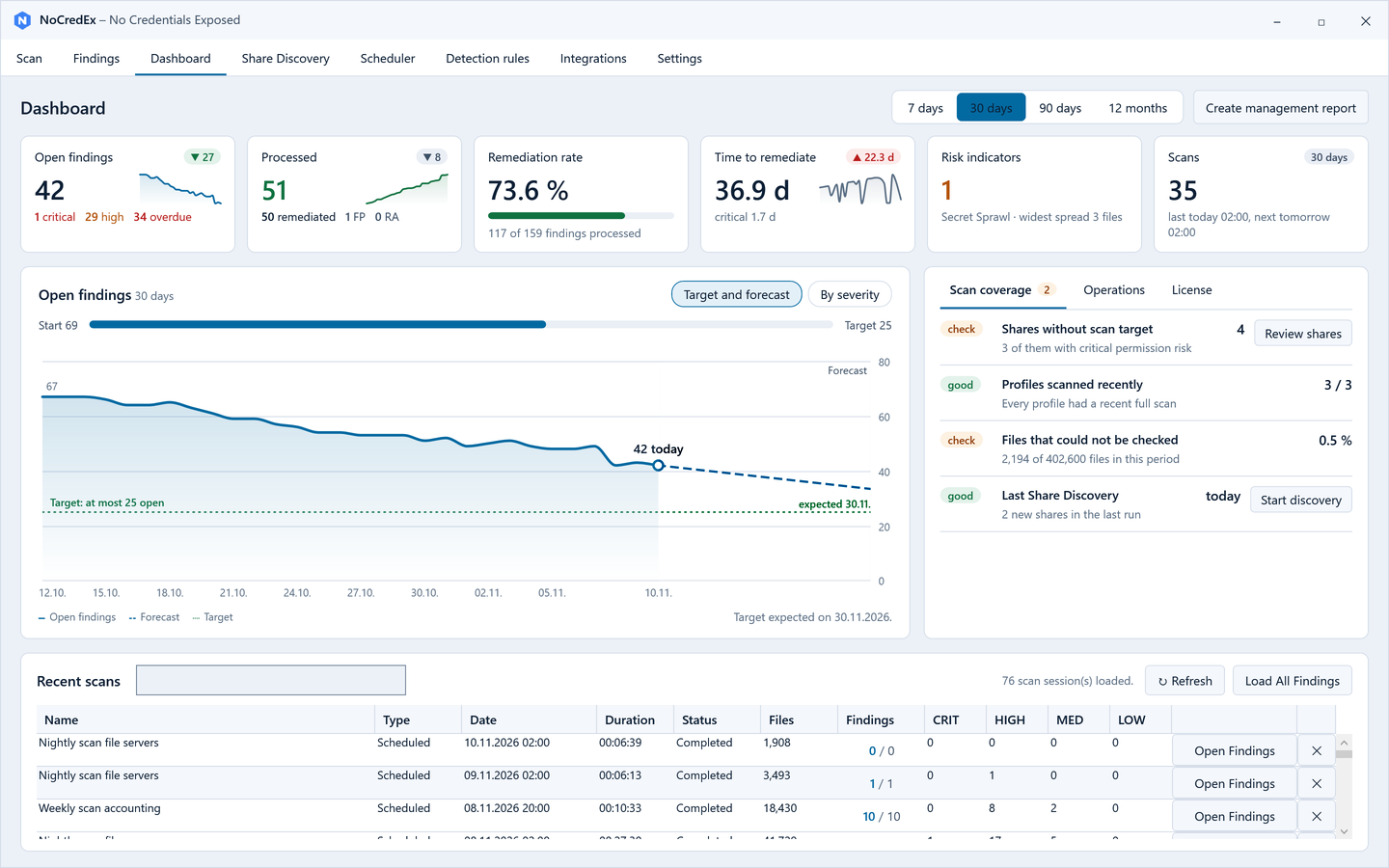
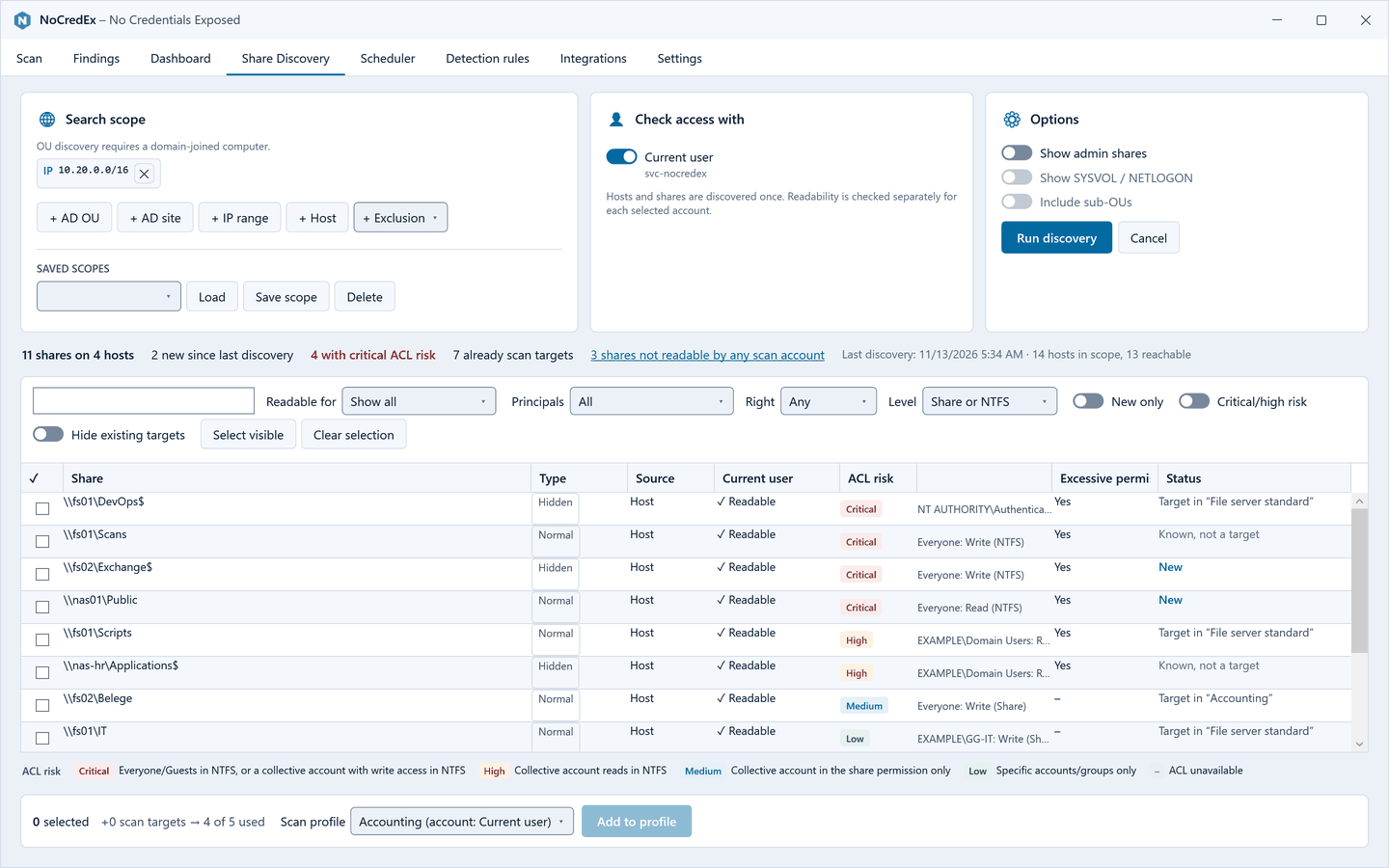
Walkthrough: the app finds five shares, two of them hidden, scans three and shows five findings. A line with a password is opened, a sample value is marked as false positive. Four days later the dashboard shows one open finding instead of five.
“Teams regularly find drives containing cleartext credentials for service accounts, web applications, and even domain administrators.”
Not sure which shares exist at all? The Share Discovery feature finds them.
What a secret scanner for file servers findsHow to search for passwords yourself
The person responsible hears about their finding and fixes it. Whether the password is really gone from the file, NoCredEx checks itself on the next scan.
Line markedPath, line and severity are fixed.
Technical Owner is informedOn the channel you have set up: Teams, Slack, email, webhook, SIEM, directly in the app or in the Owner Portal. Technical owners only see the findings of their own shares.
In the Owner PortalThere the file can be corrected and checked again, or marked with a reason.
Closed with evidenceThe finding closes itself as soon as the password has disappeared from the file.
NoCredEx shows every finding with file, line and the spot in the file, tracks in the dashboard whether things are getting better, and finds shares with Share Discovery that nobody checks yet.
Your AI agent operates NoCredEx for you, whether it runs on Claude, an OpenAI model or a model of your own. You say what needs doing, the agent does the clicking.
“Find all file shares at the Graz site and tell me which ones NoCredEx does not check yet.”
The agent searches an OU, creates a profile in NoCredEx and starts the scan.
How many findings are overdue? What does Mr Berger have open? The agent answers from the findings and the dashboard.
The agent looks up which findings each technical owner has open and drafts the email for you. You read it and send it.
It gets file, line and rule, never the value. It cannot change the licence, accounts or detection rules. The actions the agent takes are recorded in the audit log.
Through the open MCP standard.
Try NoCredEx and the partner portal free during the evaluation phase, on your own network and with selected customers. As one of the first partners, you then benefit from special conditions.
You use NoCredEx free for three months with every feature and decide afterwards whether to buy it at special conditions.
All results stay on your own system.