Technical owners
Each share can be assigned to a responsible person.
Each share can be assigned to a responsible person who handles the findings. The dashboard and the management report show how the handled findings develop over time.
A named person per share, informed through the channel you choose.
Each share can be assigned to a responsible person.
The technical owner hears only about findings on their own shares, by Teams, Slack, email or webhook, in the app or in the Owner Portal.
You mark each finding as a false positive or an accepted risk, and the decision stays valid for every later scan. Once the password is removed, the next scan sets the finding to remediated automatically.
The owner portal is a web page that the NoCredEx service provides inside your network. Technical owners sign in there and see only the findings on their own shares.
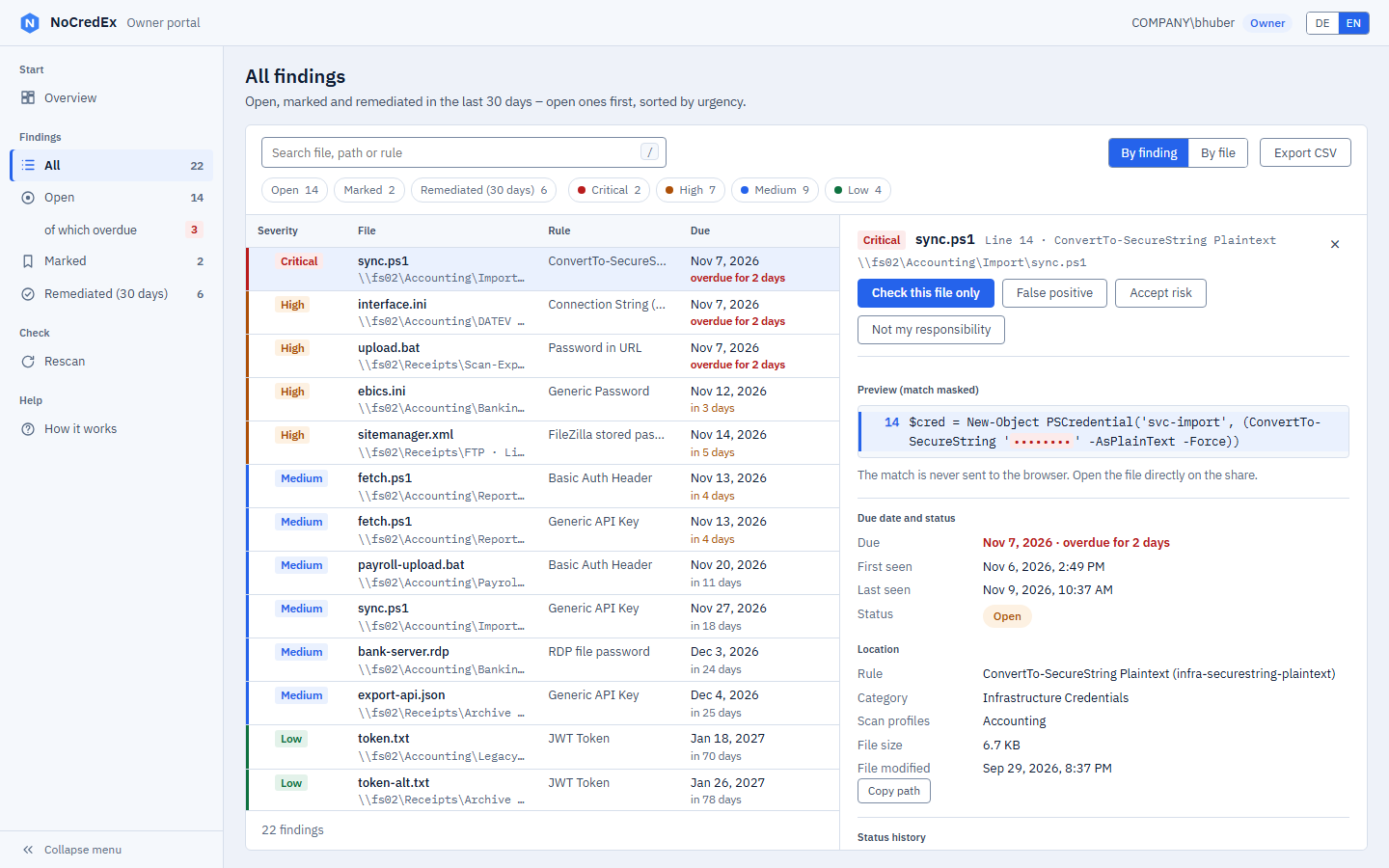
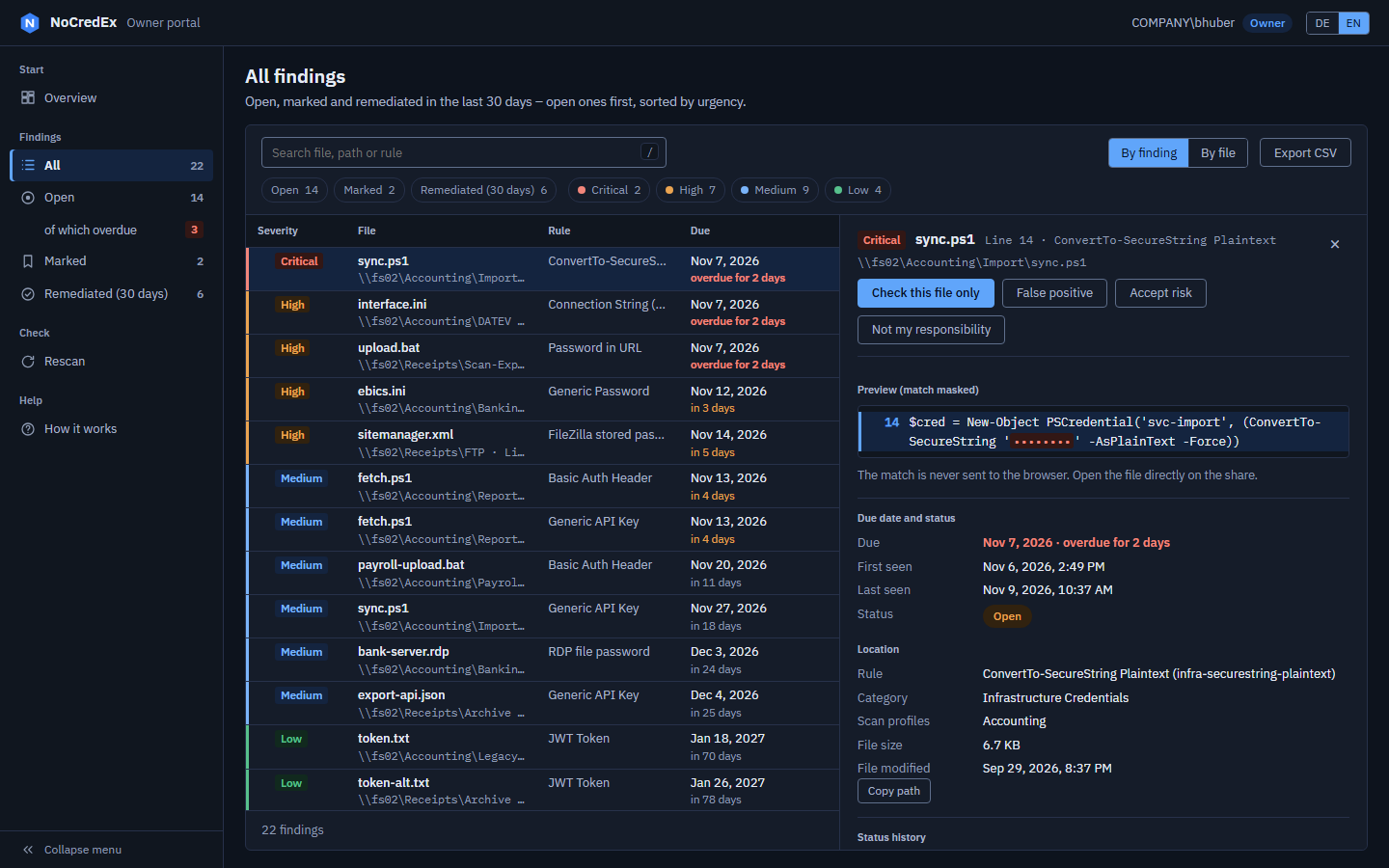
Technical owners see their own findings, administrators see everything.
Each technical owner sees an overview with key figures, trend, target value and forecast for their own shares.
If a finding landed with the wrong person, the owner reports it. Administrators see these reports in the administration.
Administrators have an administration with owners, coverage, shares, change history and audit log.
The dashboard in the app answers these three questions. The management report passes the answers on to the CISO or management.
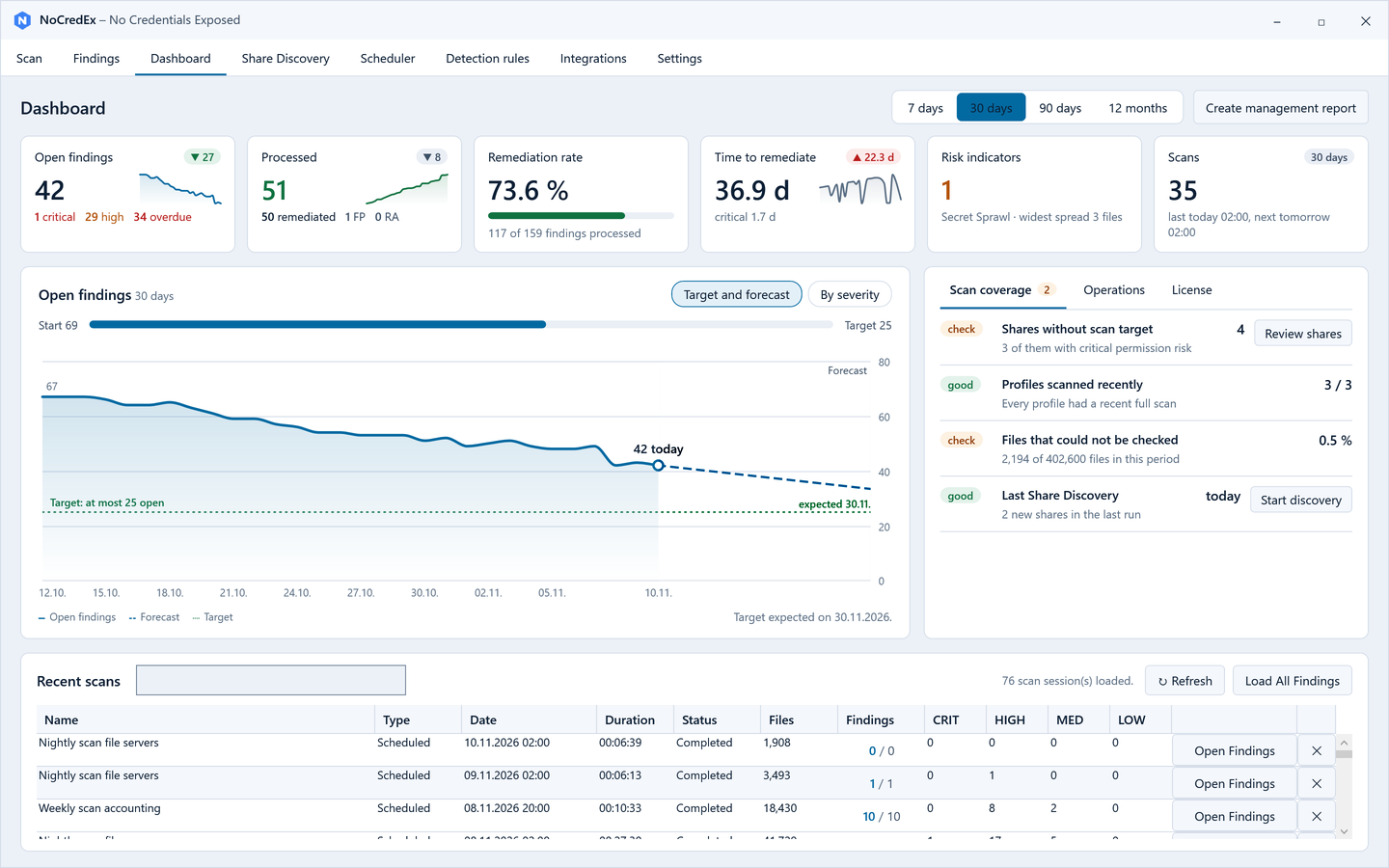
Open findings, processed, processing rate, time to remediate, risk indicators and scans. An arrow shows the change over the period, and a click on a number opens the matching findings.
Open findings over 7 days, 30 days, 90 days or 12 months, in total or by severity.
With a target value, the dashboard shows the target line and a forecast of when you will probably reach it.
Shares without a scan target, profiles without a current full scan, the share of files that cannot be checked and the last share discovery: you see what NoCredEx does not check yet.
Next scheduled scan, last scan and new detection rules since the last full scan. For each integration it shows when it last delivered, or since when it has been failing.
Edition, scan targets in use and how long the licence runs.
A PDF with the figures the CISO and management need, without file paths and file contents. You create it manually or, if you wish, have it sent by email every month.
The reports provide dated evidence for requirements such as NIS2 and ISO 27001; NoCredEx does not replace a certification.
You use NoCredEx free for three months with every feature and decide afterwards whether to buy it at special conditions.
All results stay on your own system.